
• Link to LinkedIn Link to LinkedIn Link to LinkedIn
  • Link to Facebook Link to Facebook Link to Facebook
  • Link to Bluesky Link to BlueskyLink to Bluesky
  • Link to Mastodon Link to MastodonLink to Mastodon
  • Link to Mail Link to Mail Link to Mail
  • Link to Rss Link to Rss Link to Rss
  • Dogsbody Technology Charity Support 2025
Contact us: 01276 818576
Dogsbody Technology
  • Emergency support
  • Infrastructure Services
    • Infrastructure Design
    • Infrastructure Build
    • Server management and monitoring
    • In-life Support
    • Pen Testing & Audit
    • Hosting Services
      • Plesk Hosting
      • VPS & Dedicated Servers
      • Tor Hosting
  • Happy Customers
  • About Us
  • Careers
    • Write your own job
  • News & Views
  • Contact Us
  • Menu Menu

Tag Archive for: storage

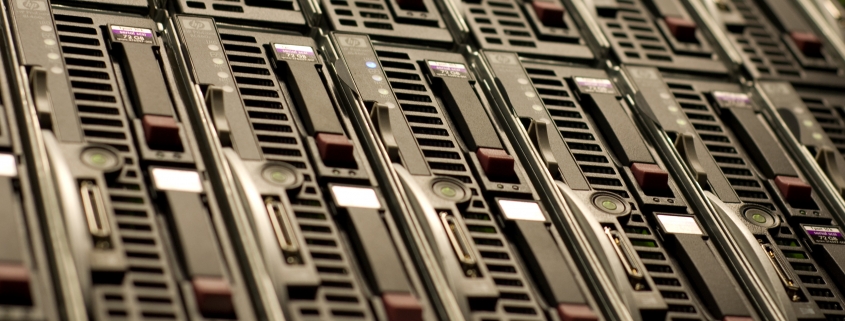
Server harddrive slots
Rob Hooper

Cloud Storage Pricing Comparison

31 May 2018/0 Comments/in Technology/by Rob Hooper

For a long time AWS has been the go to for cloud storage but the competition has heated up over the last few years. We keep a close eye on the various storage offerings so that we can recommend the best solutions to our customers.  So where are we now?  Who’s the current “winner”?

Obviously, the best provider will depend entirely on what you want to use it for. We frequently use cloud storage for backups. It is a perfect use case, you can sync your backups into multiple geographical locations at the touch of a button. Storage space grows with you and it doesn’t require anything extra on our servers. Backups of course are not the only option.

Here is a handful of use cases for cloud storage:

  • Backups (especially off-site Backups)
  • Online File Sharing
  • Content delivery networks (CDNs)
  • Team Collaboration
  • Infrequently accessed files storage
  • Storage with unparalleled availability (uptime) and durability (data corruption)
  • Static sites (such as my personal site) which is hosted directly out of an AWS S3 bucket

The Data

Below is an abridged version of the data we keep on various providers. This spreadsheet is correct at time of publishing.

An Example

As we said above, we regularly use cloud storage for for server backups. In this example I am backing up 20 GB’s of data every day. It is stored for 3 months. Each month a backup is downloaded to verify its integrity. This equates to:

  • 1860GB’s of stored data
  • 620GB’s uploaded
  • 20GB’s downloaded
  • 3100 Put requests
  • 100 Get requests

And the winners are (yearly price)…

  1. £113.73 – Backblaze B2
  2. £321.57 – Azure
  3. £335.29 – Digital Ocean Spaces
  4. £386.29 – Google Cloud Storage
  5. £410.96 – IBM Cloud
  6. £419.33 – AWS S3
  7. £1,581.60 – Rackspace

At the time of writing, Backblaze provide the cheapest storage per GB by miles but with two large caveats. They only have two data centres and because of that cannot match the redundancy of bigger companies like AWS.  They also do not have a UK data centre which can cause a potential compliance issue as data has to be stored in the US.

Azure is our current recommendation for new cloud storage setups. They are the second cheapest per GB stored, have a UK based data centre and also provide great control over data redundancy. Digital Ocean are the next cheapest but because of the minimum $5 spend they may not be for everyone.

Gotcha’s

Of course what is right for you will also depend on your current server set up. If you are using AWS for data processing and analytics it makes sense to use them, data transfer within AWS being free.

Most cloud providers price in US dollars which we have converted to UK sterling.  This means that exchange rates can affect storage prices greatly.  Azure were the only provider to provide UK sterling prices directly.

Be sure to check the durability (chance that files will become corrupted) of your data as well as it’s availability (chance that you cannot access a file).

The options are limitless. Interested in what cloud storage can do for you? Drop us a line today!


Feature image background by gothopotam licensed CC BY 2.0.
https://www.dogsbody.com/wp-content/uploads/backups-1-e1527178788927.jpg 1365 3433 Rob Hooper https://www.dogsbody.com/wp-content/uploads/Dogsbody-site-logo-1.png Rob Hooper2018-05-31 11:01:062019-08-28 16:58:56Cloud Storage Pricing Comparison
Alex Last

Adding an external harddrive to a Raspberry Pi

1 May 2015/2 Comments/in Technology/by Alex Last

We believe the native place for a server is in a datacentre and as such don’t run any infrastructure from our office.  This caused us a small problem when testing new setups as we would sometimes need to build a new development server (locally in a virtual machine) and have to pull down all the ISO’s and packages needed.  We have a fast internet connection but we are also impatient.

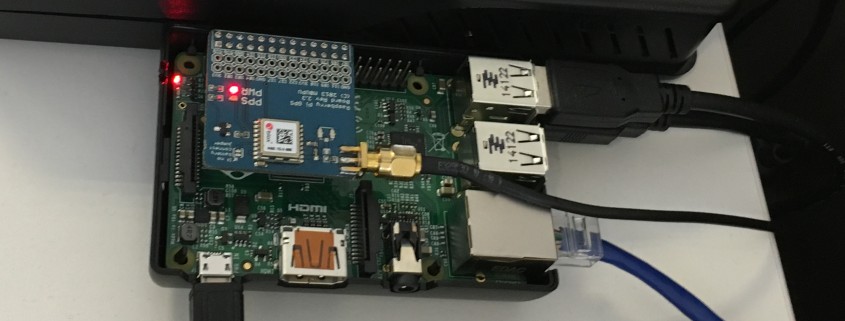
We needed a way to mirror the latest releases of the popular Linux distributions that we use so they are easily accessible for when we need them in the office. We decided that the best way to do this was to setup a script mirroring these popular repositorys on a Raspberry PI that we use for various things in the office.

We had a spare 1TB external harddrive that seemed like the perfect fit, and as it’s always best to start projects with a clean slate we did a full shred of the disk to make sure it was completely clean. This was done with the following command:

sudo shred -n 1 -z /dev/sda &

This performs a pass on the disk filling it with random bytes and then a second pass that writes 0’s to the disk.

The next step was to create some partitions on our disk, one of these we were going to use as swap space for the Raspberry PI and the other for storage of all our ISO’s we were going to mirror. We used fdisk to partition the disk and created two primary partitions, the first partition was 1GB of swap (it’s always better to make your swap partition first as it will be created on the inner sectors of the disk where the disk spins faster). The second partition was for our storage and used the rest of our available disk space.

After partitioning our disk we need to format the partitions accordingly, our storage partition was /dev/sda2 so we formatted it as ext4 with:

sudo mkfs.ext4 /dev/sda2 -L storage

And then mounted it as /mnt/storage with the following commands:

sudo mkdir /mnt/storage
sudo mount /dev/sda2 /mnt/storage

We now had around 1TB of storage under /mnt/storage that we could use to store all of our ISOs for easy access over the office network meaning we always have the latest and greatest versions at our disposal.

Finally to setup our Raspberry PI swap partition and enable swapping on it we did the following:

sudo mkswap /dev/sda1
sudo swapon /dev/sda1

We will also need to disable the standard Raspberry PI swap that uses the SD card with the following commands:

sudo dphys-swapfile swapoff
sudo dphys-swapfile uninstall
sudo chkconfig dphys-swapfile off

The command:

sudo swapon -s

Will now show our new 1GB swap partition on /dev/sda1.

Finally we need to add some lines to our fstab file so the partitions are automounted at boot. We edited /etc/fstab and added the following lines:

/dev/sda2 /mnt/storage ext4 defaults 0 2
/dev/sda1 none swap sw 0 0

Save that file and you should be all done! You can reboot to make sure that all of the partitions are automounted and that your Raspberry PI is now swapping on the new 1GB swap partition we made.

https://www.dogsbody.com/wp-content/uploads/IMG_1705-e1443784971371.jpg 1098 2479 Alex Last https://www.dogsbody.com/wp-content/uploads/Dogsbody-site-logo-1.png Alex Last2015-05-01 10:49:102015-05-01 10:49:10Adding an external harddrive to a Raspberry Pi

We are Dogsbody. We take the pain away from building, securing and maintaining IT infrastructure.

Find out how we can help your business

Everything we do is about security. Our team is our strength.

Get in touch

Latest thoughts and news

  • Our Trusted Suppliers after 15+ Years
  • Avoid Surprise AWS RDS Charges in 2026
  • A Season of Giving: Dogsbody Technology Charity Support 2025
  • Wrapping Up 2025: Our Christmas Hours
  • PHP 8.1 will go end of life – 31 Dec 2025
Search Search

Useful links

  • About Us
  • Dogsbody News & Views
  • Contact Us

Linux & cloud services

  • Infrastructure Design
  • Infrastructure Build
  • In life Support
  • Infrastructure Audit
  • Penetration Testing
  • Hosting Services

In life support

  • Overview
  • Helpdesk support
  • Server management and monitoring

Careers

  • Working at Dogsbody
  • Write your own job description
© Copyright 2010-2026 Dogsbody Technology Ltd - Registered in England and Wales 07236558
  • Link to LinkedIn Link to LinkedIn Link to LinkedIn
  • Link to Facebook Link to Facebook Link to Facebook
  • Link to Bluesky Link to BlueskyLink to Bluesky
  • Link to Mastodon Link to MastodonLink to Mastodon
  • Link to Mail Link to Mail Link to Mail
  • Link to Rss Link to Rss Link to Rss
  • Contact us
  • Terms of use
  • Privacy policy
Scroll to top Scroll to top Scroll to top