
Certificate Authorities or how to trust over the internet
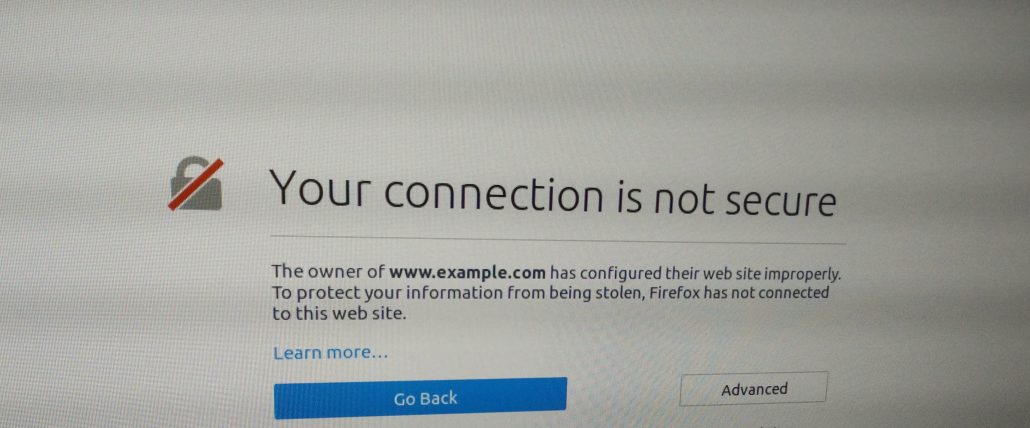
A common misconception we see all the time is that HTTPS is only useful for scrambling (encrypting) connections between you and a website, but this is only half of its potential.
So how do we know we are connected to Facebook’s servers when we access www.facebook.com?
HTTPS ensures this, by making two important aspects of security possible: encryption and authentication. It does this by sending additional data (SSL certificates) before each connection. This certificate tells the client how to encrypt their connection and which Certificate Authority will authenticate who they are.
A Certificate Authority is an entity that validates other digital certificates. They do this by “signing” certificates (with each others keys) and creating a Chain of Trust between a website and the browser.
This is the chain of trust for https://www.dogsbody.com (feel free to check this yourself in your browser now)
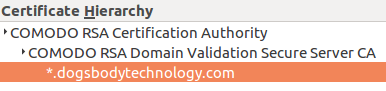
- *.dogsbodytechnology.com
The first certificate your browser receives is the site certificate. This certificate details all of the domains that it is applicable for, in this case any domain ending dogsbodytechnology.com. As well as an “Issued By” field which details the certificate that signed it, giving your browser the information to verify it.
When setting up a secure website (HTTPS) one of the first steps is to get a certificate authority to sign your certificate. Their signature connects you to a root certificate which browsers and software knows it can trust.
Comodo signed our certificate so our “Issued By” field points to them. - COMODO RSA Domain Validation Secure Server CA
This is one of Comodo’s many intermediate certificates. There can be multiple intermediate certificates in the certificate hierarchy however each extra hop reduces trust.
This certificate is not known by the browser so the webserver should send this certificate (and all intermediate certs) with the site certificate. This is sometimes known as the certificate bundle.
This certificate’s “Issued By” field links to the root certificate giving us the next link in the chain to verify this certificate. - COMODO RSA Certification Authority
This is a root certificate, it is stored locally on your operating system (OS) with other root certificates your OS trusts. These are the master certificates of certificate authorities who have been thoroughly authenticated so your browser can trust them definitively.
Some products such as FireFox for example, provide their own selection of root certificates which is used over the operating systems.
While each certificate stores the field “Issued By” to verify it, root certificates are Issued By themselves, so no further checking is possible or necessary, they are trusted absolutely. This is a Trust Anchor, the end of the verification process.
Now that the browser can link your certificate with a root certificate it knows it is talking to authorized servers for the site and the rest of the connection can continue.
We secure websites every week contact us today and see how we can help you.






Trackbacks & Pingbacks
[…] are many types of SSL certificate from various Certificate Authorities. For basic domain validated certificates we are a big fan of Lets […]
[…] Validation (EV) SSL Certificates are issued only when a Certificate Authority (CA) checks to make sure that the applicant actually has the right to the specific domain name plus […]
[…] Read more about Certificate Authorities or how to trust over the Internet. […]
Leave a Reply
Want to join the discussion?Feel free to contribute!